
Last updated on September 16, 2026
Postiz in 30 seconds
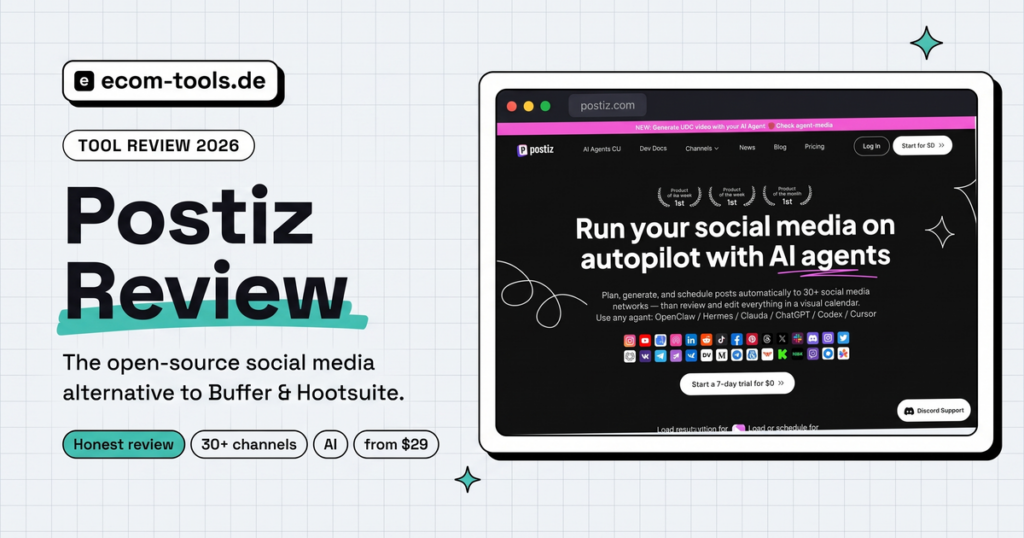
Postiz is an open-source social media scheduling tool that lets you plan posts for 30+ networks (Instagram, TikTok, Facebook & co.) in a visual calendar – either in the cloud from $29/month or for free on your own server. The big difference to Buffer & Hootsuite: AI agents, a fair flat price and full control over your data thanks to open source.
- Schedules posts for 30+ channels including Instagram, TikTok, YouTube, LinkedIn & Pinterest
- AI assistant writes captions & generates images – in any language
- Cloud from $29/month (7-day free trial) – or self-host it free and open source
- Open source (AGPL): EU hosting possible = strong data-privacy lever
- But: interface in English only, no free cloud plan
- Get started: Try Postiz free for 7 days* – no risk, cancel monthly
★ 4.8/5 on G2 · 7-day free trial · cancel monthly
Our rating: 4.4 / 5
Outstanding value with a unique open-source option – points deducted for the English-only UI depth of analytics.
| Features | ★★★★½ 4.5 |
| Value for money | ★★★★½ 4.7 |
| Ease of use | ★★★★☆ 4.3 |
| Privacy options | ★★★★½ 4.6 |
| Analytics & support | ★★★½☆ 3.7 |
🔍 Rated with our 5-criteria framework – every score can be recalculated.
You’re just starting your e-commerce or dropshipping business and you know the deal: without Instagram, TikTok and co., nothing moves. But posting manually every day? Nobody has time for that. This is exactly where social media scheduling tools come in – except the established options are often expensive, bloated or charge per channel.
Postiz promises a different path: a lean, open-source tool that focuses on the essentials – schedule posts, create them with AI and publish across every channel – at a fair price. We took a close look at what’s really behind it, who it’s worth it for and where Postiz (as of July 3, 2026) still falls short.
What is Postiz?
Postiz is an open-source social media scheduling tool that lets you plan, create with AI and automatically publish posts across more than 30 platforms from one place. It’s developed by Nevo David and his project Gitroom. Unlike Buffer or Hootsuite, the entire code is open (license: AGPL-3.0) – on GitHub the project has gathered around 32,600 stars and is developed extremely actively (several updates per month, currently version 2.x).
The special thing: you have two ways to use Postiz.
- Cloud version – you sign up, pay monthly and get going right away. No server, no hassle.
- Self-hosted version – you install Postiz on your own server. The software is free; you only pay for the server. According to the developer there is functionally no difference between the two versions.
This freedom of choice is Postiz’ actual unique selling point – more on that shortly.
Postiz features in practice
Postiz covers the whole cycle: plan, create, publish, analyze. Here are the building blocks that matter for e-commerce beginners.
1. Scheduling posts & the visual calendar
At its heart is a visual calendar in which you see all scheduled posts at a glance and move them via drag-and-drop. You write a post once, adapt it per channel (e.g. a shorter caption for X, hashtags for Instagram) and set publishing times – recurring and timezone-aware too.
2. 30+ channels in one dashboard
Postiz supports an unusually wide range of networks. Particularly relevant for e-commerce: Instagram, TikTok, YouTube, Facebook, X (Twitter), LinkedIn, Pinterest, Threads and Bluesky. On top of that come Mastodon, Reddit, Telegram, Discord, Google Business, WordPress and plenty of niche platforms. So you manage shop marketing and community from a single tool.
3. AI features: agent, text & images
Postiz positions itself heavily around artificial intelligence. An AI assistant writes and optimizes captions (in any language), suggests post ideas and generates images. New is an “agentic” approach: you can connect Postiz to AI agents (e.g. via ChatGPT, Claude or its own Agents CLI) that plan and schedule content – including first features for AI-generated UGC videos.
4. Team & collaboration
As your business grows you can (depending on the plan) invite team members, set up approval workflows and work together on an editorial calendar. In the cloud, team members are even unlimited from the “Team” plan upward.
5. Automation & integrations
Postiz comes with a public API and integrates with automation tools like Make or n8n. That lets you build workflows like “new product in the shop → automatic draft post in Postiz”. For the tech-savvy it’s a huge lever; for beginners a bonus you can tap into later.
★ 4.8/5 on G2 · 7-day free trial · cancel monthly
Postiz MCP: run social media straight from ChatGPT & Claude
Via the Postiz MCP server you connect Postiz to AI assistants like ChatGPT, Claude or Cursor – and then schedule your posts simply by chatting in plain language, without ever opening the tool itself. MCP stands for “Model Context Protocol”, an open standard that lets AI agents “talk” directly to tools like Postiz.
In practice that means: you connect Postiz to your AI assistant once via a link – no installation, no technical setup. Then you just say, for example: “Schedule five Instagram posts about my new summer products for next week” – and the agent creates, schedules and publishes them through Postiz across up to 30+ channels. The MCP can read your connected channels, create posts and even generate images and videos.
For e-commerce beginners this is exciting for two reasons:
- “Autopilot” for social media: you delegate the tedious routine to the AI tool you already use (ChatGPT/Claude) instead of learning a new dashboard.
- Language barrier bypassed: even though the Postiz interface is in English, you communicate with your assistant entirely in your own language via the MCP.
If you like it more technical, you can also use the Postiz Agents CLI (installable via npm, with JSON output for your own automations) – ideal in combination with Make or n8n. One thing to note: the MCP feature is brand new and shows its full value mainly if you already work with AI assistants anyway.
Cloud or self-hosted? Postiz’ killer feature
Because Postiz is open source, you can run it for free on your own server – keeping full control over your data. That’s the decisive difference to Buffer, Later or Hootsuite, where your data always sits on someone else’s (mostly US) servers.
The cloud version – for most beginners
If you’re just starting out and don’t want to deal with servers: take the cloud. Sign up, test free for 7 days, get going. You get all the features without worrying about updates or tech. For 90% of e-commerce beginners that’s the right way.
The self-hosted version – for the tech-savvy & privacy fans
You install Postiz via Docker on your own server – e.g. with an EU provider like Hetzner from around €4–8/month. The software is free; you only pay for the server. Plan realistically for at least 4 GB RAM. The clever part: if you host in the EU, all data stays under your control – a strong argument for privacy-conscious businesses.
What does Postiz cost?
The cloud version starts at $29/month; the self-hosted software is completely free. There is no permanently free cloud account (like Buffer’s) – but there’s a 7-day free trial. Here are the cloud plans (as of July 3, 2026):
| Plan | Price/month* | Channels | Posts | For whom |
|---|---|---|---|---|
| Standard | $29 (yearly $23) | 5 | 400/month | beginners, 1 person |
| Team | $39 (yearly $31) | 10 | unlimited | small teams |
| Pro | $49 (yearly $39) | 30 | unlimited | power users/agencies |
| Ultimate | $99 (yearly $79) | 100 | unlimited | large agencies |
* Cheaper with yearly billing. Self-hosting: software $0, only server costs (e.g. ~€5/month).
💡 Prices last verified with the vendor on July 3, 2026. Always check the official website for current pricing.
For a typical dropshipping start, Standard is plenty: 5 channels and 400 posts/month are more than enough to consistently feed Instagram, TikTok, Facebook & co. The former AppSumo lifetime deal (pay once, use forever), by the way, is no longer available – it’s sold out.
Who is Postiz a no-brainer for?
✅ This is YOUR tool if…
- as a beginner you want an affordable, honest scheduling tool without bloat
- you’re active on many channels at once (IG, TikTok, FB, …)
- data privacy / EU hosting matters to you
- you want to use AI to create posts faster
- you enjoy experimenting with automation (Make/n8n)
⛔ Better stay away if…
- you need a fully localized interface in your language
- you expect deep, professional analytics & reporting
- you want to self-host but have zero tech experience
- you depend on a permanently free cloud plan (→ then rather Buffer or Metricool)
Postiz vs. Buffer, Later, Hootsuite & co.
In comparison, Postiz scores above all with open source, the free self-hosting option and a fair flat price for many channels. Buffer is cheaper to start with but charges per channel; Hootsuite is significantly more expensive; Later is heavily focused on Instagram. Here’s the overview (indicative prices, as of July 3, 2026):
| Tool | Entry price | Free plan | Open source | Highlight |
|---|---|---|---|---|
| Postiz | $29 (5 channels) | No (7-day trial) | Yes | free self-hosting, AI agents |
| Buffer | from $5/channel | Yes (3 channels) | No | cheap, but priced per channel |
| Later | ~$25 | No | No | focus on Instagram/visual |
| Hootsuite | ~$99 (10 accounts) | No | No | powerful, but expensive |
| Metricool | €16 (5 brands) | Yes (1 brand) | No | strong analytics |
| Mixpost | $299 one-time | Yes (Lite) | Yes | the other OSS option |
The most interesting direct alternative is Mixpost – also open source, but with a one-time license instead of a subscription and (in the free version) fewer channels. If you want to start as cheaply as possible on a few channels, Buffer’s free plan serves you well. But as soon as it’s about many channels + AI + data control at a flat price, Postiz plays to its strengths.
Data privacy & GDPR: how does it look?
Thanks to open source, Postiz can be self-hosted in a GDPR-friendly way within the EU – but there is no official GDPR certification or a ready-made data processing agreement for the cloud. Concretely that means:
- Self-hosted in the EU: you keep data sovereignty because everything sits on your server (e.g. in Germany). That’s the cleanest path for privacy-conscious businesses.
- Cloud version: convenient, but data runs over the provider’s servers. For AI features third parties (e.g. OpenAI) are used too – something to account for in your privacy policy.
Bottom line, Postiz gives you more privacy options than most US tools – but you only get full control via the self-hosting variant.
What we like – and where it falls short
👍 Strengths
- Open source & free to self-host
- 30+ channels at a fair flat price
- Strong, “agentic” AI features
- Very active development & large community
- EU hosting = a real privacy lever
- Clean, beginner-friendly interface
👎 Weaknesses
- Interface in English only
- No permanently free cloud plan
- Self-hosting needs tech know-how (+ known channel bug)
- Analytics rather basic
- Support mainly via Discord/English
- Still few independent reviews
SWOT analysis: Postiz at a glance
Strengths
|
Weaknesses
|
Opportunities
|
Threats
|
By the way: if you want to use AI in your day-to-day operations too, our review of Langdock (GDPR-compliant AI for businesses) is worth a read.
Verdict: is Postiz worth it?
Yes – Postiz is one of the most exciting social media tools for e-commerce beginners who want a lot of value for the money and control over their data. You get 30+ channels, modern AI features and a fair pricing structure that easily keeps up with the expensive incumbents. The fact that you can self-host it for free and in a GDPR-friendly way is something hardly any other tool offers.
Honestly, though: the English interface and the self-hosting effort are real hurdles. But for the cloud version you need none of that – you’re clicked in within minutes.
Our straight-talk recommendation: Are you a beginner who just wants to get started? Take the cloud version (Standard, $29) and test it free for 7 days. Are you technically fit and value maximum data control? Then the free self-hosting option is a real gift. If you absolutely need a localized interface and deep analytics, look at Metricool as a complement.
No risk: 7 days free, then you decide.
Not sure whether open source is the right route? Our Buffer review covers how the best-known commercial competitor compares, including what its per-channel pricing really adds up to.
Frequently asked questions about Postiz
Is Postiz free?
The software is open source and free when self-hosted – you only pay for your server. The convenient cloud version costs from $29/month but can be tested free for 7 days. There is no permanently free cloud plan.
Is Postiz available in other languages?
The interface is currently English only; there is (as of July 3, 2026) no official localization. It’s kept simple, though, and the AI assistant happily creates your posts in any language.
Is Postiz GDPR-compliant?
Thanks to open source, Postiz can be run in a GDPR-friendly way on your own EU server – then you have full data control. There is no official GDPR certification; with the cloud version you should account for third parties (e.g. OpenAI for AI) in your privacy policy.
Which channels does Postiz support?
More than 30, including Instagram, TikTok, YouTube, Facebook, X, LinkedIn, Pinterest, Threads, Bluesky, Mastodon, Reddit, Telegram, Discord, Google Business and WordPress.
Postiz or Buffer – which is better?
Buffer is cheaper to start with and has a free plan, but charges per channel and isn’t open source. Postiz offers more channels at a flat price, AI agents and the free self-hosting option. If you care about privacy and many channels, Postiz is the better fit.
Can I self-host Postiz?
Yes. Postiz is installed via Docker and runs on a cheap server (from ~4 GB RAM, e.g. at Hetzner). You need some tech knowledge and your own OpenAI key for the AI features – in return the software is free and your data stays with you.