
Last updated on September 5, 2026

Key takeaways (TL;DR)
- eTermin is a smart online appointment scheduler for service providers, practices, agencies and shops – combining booking, customer management and partial invoicing in one system.
- Your customers book 24/7 online – via website, social media or Google – with no phone tag.
- Pricing (as of 06/2026): Lite from €19/month, Pro €29/month, Enterprise custom – with a 30-day free trial (no credit card).
- Deep integration with existing systems like Lexware Office, Google Calendar or your website.
- eTermin GmbH is built for GDPR compliance with servers in Germany – ideal for sensitive data.
- 👉 Try it: Test eTermin free for 30 days* – the trial ends automatically.
Try eTermin free for 30 days
see for yourself how much time you save with automated appointment booking.
GDPR · servers in Germany · 30-day free trial
Anyone running a business knows the problem: the phone rings constantly, emails pile up, and appointment requests squeeze in between everything. The solution? An online scheduler that takes this work off your hands. In this article we show you why eTermin has become the first choice for many service providers – and how to use the tool optimally for your business.
Our rating: 4.6 / 5
A mature DACH appointment-booking tool with a broad feature set, fair pricing and servers in Germany – not a full CRM, and SMS reminders cost extra depending on volume.
| Features | ★★★★½ 4.7 |
| Ease of use | ★★★★☆ 4.3 |
| Integrations | ★★★★☆ 4.4 |
| Value for money | ★★★★½ 4.6 |
| GDPR & DACH | ★★★★½ 4.9 |
🔍 Rated with our 5-criteria framework – every score can be recalculated.
What is eTermin and who is it for?
eTermin is web-based online scheduling software that runs entirely in the browser. No download, no installation – just log in and go. The platform was built specifically for the German-speaking market and meets all data-protection and security requirements.
Appointment management is for everyone who regularly coordinates appointments with customers. The software bundles online booking, customer management and partly invoicing in one central system.
Who is eTermin especially suited for?
- Freelancers and solopreneurs: coaches, consultants, designers who want to manage consultations and appointments efficiently
- Medical practices and therapists: consultation scheduling, recall functions for follow-ups, patient management
- Agencies and studios: coordinating client meetings, project calls, workshops
- Workshops and tradespeople: inspection, repair and resource planning for vehicles or equipment
- Fitness and beauty studios: class and individual booking with trainer assignment
💡 Pro tip: Start with a simple booking type (e.g. just initial consultations). Once everything runs, you can add more complex workflows with multiple resources, staff and locations. This avoids overwhelm in the setup phase.
Online booking: 24/7 bookings via website, social media & Google
Your customers today expect to be able to book online around the clock – whether via your website, Instagram or Google search. With eTermin you meet that expectation without having to be constantly available yourself.
The booking widgets embed flexibly into:
- Your website (WordPress, Wix, Jimdo, Shopify, plain HTML)
- Email signatures with a direct booking link
- Social media profiles (Instagram, Facebook, LinkedIn)
- Google Business Profile for local visibility
Customers see free time slots in real time and can book or reschedule directly. For you that means fewer phone calls, fewer emails and – thanks to automatic confirmations via SMS or email – significantly fewer no-shows.
Real-world examples:
| Industry | Typical appointment types | Benefit with eTermin |
|---|---|---|
| Medical practice | Consultation, vaccination, check-up | Patients book themselves, the practice phone is relieved |
| Hair salon | Cut, color, styling | Customers see free slots and book even in the evening |
| Workshop | Inspection, service, tire change | Resources (lift) are scheduled automatically |
| Consulting agency | Intro call, strategy call, follow-up | Calendar connection prevents double bookings |
Appointment types can be set up with individual durations, optional prices and buffer times. So you know exactly how long each appointment takes and optimize your utilization.
💡 Pro tip: Place a clearly visible “Book now” button with the eTermin widget above the fold on your homepage. According to eTermin’s internal stats, over 60% of all bookings happen on mobile – a prominently placed button noticeably boosts your conversion.
Online calendar & synchronization with Google, iCloud & Outlook
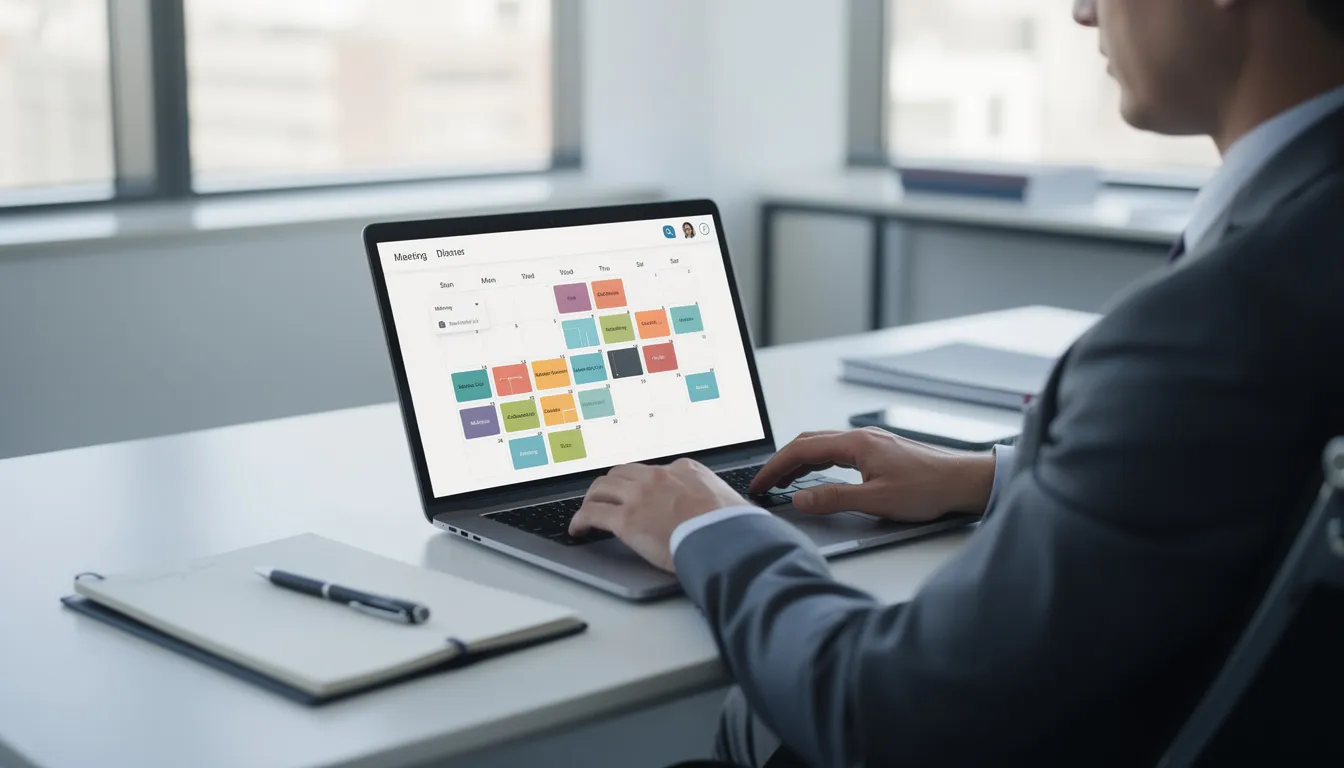
eTermin provides a central online calendar where all bookings come together. The core: synchronization with your existing calendars.
Supported calendar systems:
- Google Calendar
- Microsoft Outlook
- Apple iCloud
- Other CalDAV-compatible systems
The real-time synchronization prevents double bookings. If you add a private appointment in Google Calendar, that time automatically appears as unbookable in eTermin.
Typical sync scenarios:
- Field service: staff see all appointments on their smartphone, wherever they are
- Multiple locations: central overview of all branches in one dashboard
- Shared resources: a meeting room used by several teams – eTermin prevents conflicts
Staff members can each have their own online calendars, so you plan team capacity transparently.
💡 Pro tip: Connect your private calendars so blocked times (appointments, childcare, vacation) automatically appear as unbookable in eTermin too. That way you avoid manual upkeep across multiple systems.
Business management: control services, staff, resources & locations
eTermin is more than a scheduler – it also acts as a lightweight business management system. You map your entire service offering and steer it optimally.
Define services:
- Set duration, prices and buffer times
- Add-on services as an upsell option (e.g. consultation + analysis package)
- Store descriptions and videos for customers
Manage staff:
- Assignment by qualification and availability
- Maintain working hours, vacations and stand-ins in the system
- Individual booking links per staff member
Plan resources:
- Set up rooms, equipment, vehicles or treatment stations as bookable resources
- Automatic availability check on every booking
- Capacity planning at a glance
Manage locations:
- Multiple branches or practices in one account
- Location-specific services and staff
- Central statistics and reports
💡 Pro tip: Analyze which resources are frequently booked out and feature them prominently. By steering utilization deliberately, you can maximize revenue – a room used 20% more brings in direct extra income.
Marketing & customer management: more visibility and better service
Beyond pure booking, eTermin also offers marketing and CRM functions that are especially important for e-commerce-adjacent service providers.
Customer management:
- Contacts with complete history (past appointments, notes, contact details)
- Filter options for targeted outreach
- Export as PDF or CSV
Reminders via email and SMS:
- Automatic reminders before the appointment (freely configurable)
- Follow-ups and thank-you messages after the appointment
- Sending via email or SMS – depending on customer preference
Review requests:
- Automatically send links to Google reviews after appointments
- Feedback forms for internal quality control
- More reviews, better online reputation
Statistics and reports:
- Number of appointments per month, week, day
- Utilization per service and staff member
- Repeat rates and no-show rate
💡 Pro tip: Set up an automatic follow-up reminder after 90 days following a first appointment. According to A/B tests in the eTermin knowledge base, this simple automation can increase the rebooking rate by up to 35%.
eTermin pricing & plans 2026: which tier fits your business?
eTermin offers three clearly tiered packages plus a custom enterprise solution. They all share: a 30-day free trial, no credit card required, cancel monthly. Annual billing is cheaper.
| Plan | Price | Who’s it for? | Highlights |
|---|---|---|---|
| Lite | from €19/month | Single locations, small teams | Booking & calendar, reminders, customer management, statistics |
| Pro (most popular) | €29/month | More complex workflows, multiple locations | Everything in Lite + online payment, marketing, user roles, integrations |
| Enterprise | custom | Multiple locations, teams, complex workflows | Custom integrations, priority support, special terms |
💡 Prices last verified with the vendor on July 6, 2026. Always check the official website for current pricing.
Costs start small and scale with the functions you use. Importantly, every package begins with a 30-day free trial that ends automatically – no cancellation needed, no hidden costs.
💡 Pro tip: Use the trial actively to map a full month of everyday operations – including seasonal peaks or holiday cover. Only then will you see whether the feature scope really fits your needs.
Ready to test?
Start your free 30-day trial with eTermin now.
GDPR · servers in Germany · 30-day free trial
Integration with your existing software (e.g. Lexware Office)
eTermin connects seamlessly to existing software via interfaces and an API. That saves manual data transfer and reduces sources of error.
Lexware Office integration:
- On every booking, relevant customer data is transferred directly to Lexware Office
- Contact creation and invoice drafts can be automated
- Invoicing is massively simplified
Other integration options:
- Zapier: connection to over 5,000 apps for custom workflows
- CRM systems: keep customer data in sync
- Payment providers: Stripe, PayPal, Giropay for prepayments
eTermin runs platform-independently in the browser – no local installation needed. Setup runs via a step-by-step wizard; you can do the basic configuration yourself, even without IT skills.
💡 Pro tip: Try the integration first in a test client of your accounting software before going live. That way you avoid accidental entries in your real data.
eTermin in numbers & typical results from practice
eTermin is used across the German-speaking region – from solopreneurs to larger organizations. The measurable results speak for themselves:
- Time savings: 5–10 hours per month less phone and email coordination; per a survey of 1,500 customers, around 5 hours per week on average.
- No-show reduction: the industry average is 20–30% missed appointments; with eTermin reminders the rate drops below 5%.
- Staff relief: reception and assistants get more time for value-adding tasks instead of phone calls.
- User acceptance: over 80% of customers prefer online bookings, 60% book on mobile.
This data comes from the eTermin whitepaper and independent industry reports.
Happy customers & typical use cases
eTermin is used by sole proprietors up to larger organizations. A few examples from practice:
Commercial vehicle workshop: A workshop in southern Germany offers online appointments for inspection and repairs. Resource planning for lifts and mechanics happens automatically – double bookings are history.
Physiotherapy practice: A Munich practice reports a 40% increase in bookings after introducing eTermin – the WhatsApp integration for instant confirmations was especially convincing.
Agencies, coaches and consultants: A freelance graphic designer in Vienna uses group booking for workshops with up to 50 participants. Admin effort dropped from 10 hours to 1 hour per week.
Beauty salon: A Berlin salon achieved 25% revenue growth through the waitlist feature (automatic notification when a slot frees up).
💡 Pro tip: In the trial, start with one clearly defined use case – e.g. only initial consultations. Once that process runs smoothly, migrate further services.
Pros & cons at a glance
| Pros – GDPR-compliant, servers in Germany – 24/7 booking via website, social media & Google – Calendar sync (Google, Outlook, iCloud) – Resource, staff & location management – Strong integrations (Lexware, Zapier, payment providers) – Affordable entry from €19/month + 30-day trial |
Cons – Not a full CRM (a separate tool is needed for complex pipelines) – SMS reminders may incur extra costs depending on volume – Full feature set (online payment, integrations) only from Pro – Very complex setups need some onboarding – Interface and support are primarily German |
How to get started with eTermin (incl. 30-day free trial)
Getting started is straightforward:
- Step 1 – Create an account: Visit the eTermin website via our link and register with your email address.
- Step 2 – Choose a plan: Pick the package that fits your company size. The trial is free on all plans.
- Step 3 – Start the trial: Use all functions for 30 days. The trial ends automatically – no cost unless you actively continue.
What you can do during the trial: accept and manage real appointments, test email/SMS reminders, set up calendar and accounting integrations, and try the booking widget on your website.
Start your 30-day trial – no risk, no credit card.
GDPR · servers in Germany · 30-day free trial
Why we at Ecom Tools recommend eTermin
At Ecom Tools we regularly test and compare software from e-commerce, online marketing and automation. eTermin convinced us for several reasons:
Feature scope meets usability: the software offers everything service providers need – without unnecessary complexity. From the scheduler to customer management, it’s all in one place.
Strong integration options: eTermin embeds seamlessly into online marketing funnels, lead generation and customer processes – a real plus for e-commerce-minded users.
GDPR and security: as a European provider with servers in Germany, eTermin meets all data-protection requirements. For industries with sensitive customer data (doctors, therapists, legal advice) a must-have.
Transparency note: the link to eTermin is an affiliate link. If you sign up through it, we receive a commission – at no extra cost to you. This income helps us keep producing independent tool reviews.
eTermin FAQ
What does eTermin cost?
eTermin offers three packages: Lite from €19/month, Pro €29/month (most popular) and Enterprise with a custom quote. You can test all packages free for 30 days, no credit card. Annual billing is cheaper than monthly.
Is eTermin GDPR-compliant and suitable for sensitive data (e.g. health data)?
As a European provider, eTermin places great value on data protection and GDPR compliance. The servers are in Germany, there’s a data processing agreement (DPA), and data transfer is encrypted. For especially sensitive health data, review the specific data-protection documents and, if needed, involve your data protection officer.
Can I embed eTermin into my existing website (WordPress, Shopify, website builders)?
Yes, eTermin embeds into almost any website via embed codes, iFrames or buttons. Common systems like WordPress, Wix, Jimdo, Webflow, Shopify and plain HTML pages are supported.
How many staff and locations can I manage with eTermin?
The number of staff profiles and locations depends on the chosen plan – from solo operator to organizations with multiple branches. For larger teams, Pro or Enterprise with multi-user and multi-location functions is recommended.
Do I need technical know-how to set up eTermin?
The basic configuration – creating services, defining time slots, designing the booking page – is doable without IT skills. eTermin offers a guided setup wizard, a help center with videos and support by phone, chat and email.
Which industries benefit most from eTermin?
Medical practices, advisory professions (coaches, lawyers, tax advisors), agencies, trades and workshops, fitness and beauty studios and education providers benefit most. In general, eTermin suits any business that regularly coordinates appointments with customers.
Ready to take your appointment management to the next level?
Test eTermin free for 30 days*
GDPR · servers in Germany · 30-day free trial